
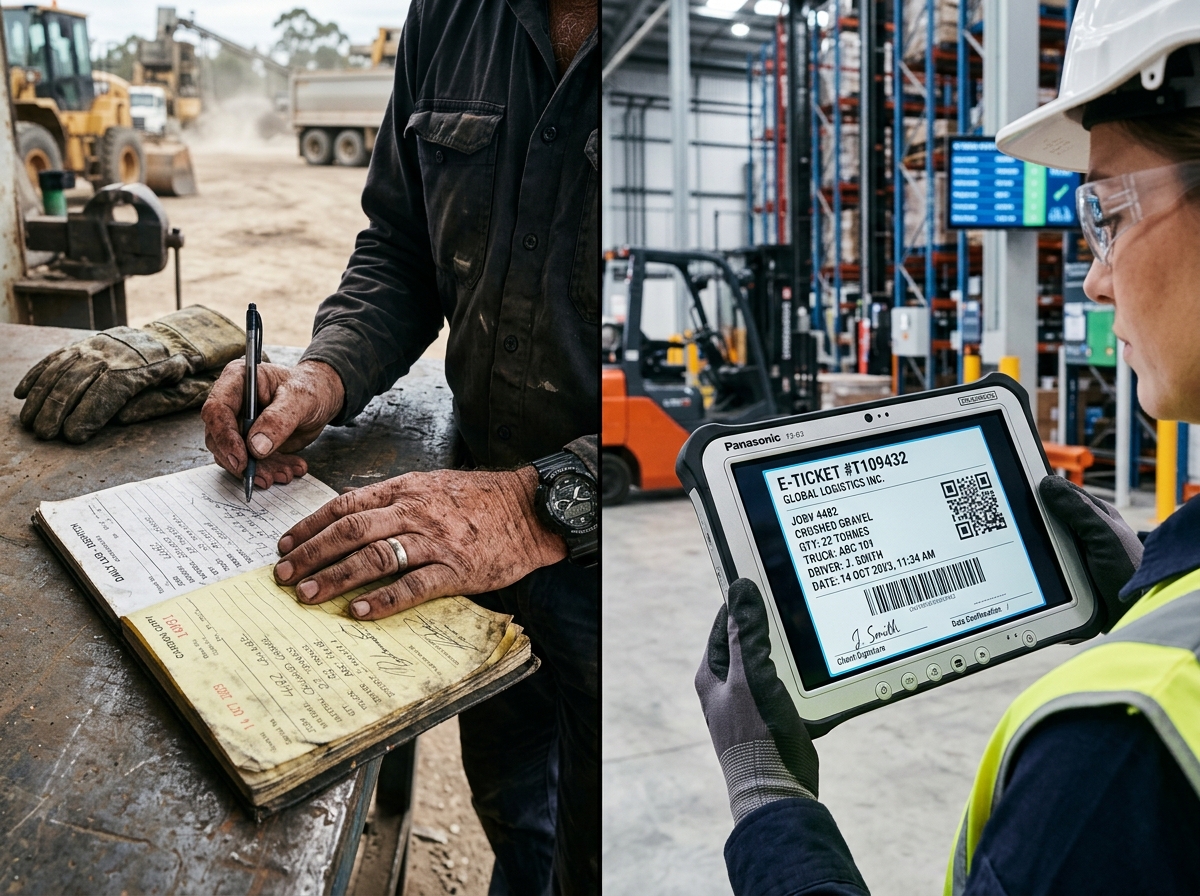
The invoicing problem in heavy industry
Invoicing should be straightforward: you provide a service, you send a bill, you get paid. In practice, invoicing in waste, aggregate and haulage businesses is anything but simple.
Consider the variables involved in a typical waste management invoice: multiple collections across different sites, varying waste types with different pricing, weight-based charges captured at the weighbridge, hire periods for skips or containers, surcharges for contamination, rebates for sorted materials, and tipping fees that vary by disposal site. Now multiply that across hundreds of customers and thousands of transactions per month.
When this complexity is handled manually — typically by an accounts team re-keying data from weighbridge tickets, job sheets, and delivery notes into accounting software — the result is predictable: errors, delays, disputes, and a finance team that spends more time creating invoices than managing cash flow.
Automated invoicing solves this by generating invoices directly from operational data, eliminating the manual steps where errors and delays are introduced.
What automated invoicing actually means
Automated invoicing does not mean pressing a button instead of typing. It means the invoicing system draws data directly from the operational systems that capture it — the weighbridge, the job management system, the delivery tracking — and assembles invoices based on predefined rules.
Data flows in, invoices flow out
In an automated system, the data journey looks like this:
- A job is completed — A skip is collected, a load of aggregate is delivered, or a piece of plant is returned. The operational system records what happened, when, and for whom.
- Weights and quantities are captured — The weighbridge records the tonnage. The driver confirms the delivery. The system logs the hours a machine was on hire.
- Pricing rules are applied — The system looks up the agreed pricing for that customer, material, and service type. It applies any surcharges, discounts, or contractual terms automatically.
- The invoice is assembled — All charges for the billing period are gathered, formatted according to the customer’s requirements, and presented for review.
- Approval and dispatch — The finance team reviews the generated invoices (optionally — many are sent automatically) and dispatches them via email or a customer portal.
The critical difference from manual invoicing is that no one re-keys data. The weight on the invoice is the weight from the weighbridge. The job details are the details from the operational system. The pricing is the pricing from the contract. There is a single, unbroken chain from the point of service to the point of billing.
Handling complexity automatically
The pricing structures in heavy industry are genuinely complex, and any invoicing automation needs to handle them without manual intervention:
- Weight-based pricing — Per-tonne charges for aggregates, waste, and recycled materials, often with different rates for different material types
- Time-based pricing — Daily, weekly, or monthly hire rates for skips, containers, or plant equipment, with automatic calculation of hire periods
- Tiered pricing — Volume discounts where the per-unit price decreases as quantity increases
- Minimum charges — Ensuring that small loads or short hires meet a minimum billing threshold
- Surcharges — Contamination fees, out-of-hours charges, or overweight penalties applied automatically when conditions are met
- Contractual terms — Customer-specific pricing agreements that override standard rates
A well-configured invoicing system handles all of these scenarios through rules and templates, not manual calculation.
The business benefits
Faster invoicing, faster payment
The most direct benefit of automation is speed. Manual invoicing processes often run on a monthly cycle: jobs are completed throughout the month, paperwork accumulates, and invoices are generated at month-end. This means that some services are not invoiced for up to four or five weeks after they are delivered.
Automated systems can generate invoices daily, weekly, or even per-job. Faster invoicing means faster payment, which means better cash flow. For businesses with thin margins and significant operational costs, improving the invoice-to-cash cycle by even a week or two can have a meaningful impact on working capital.
Fewer errors, fewer disputes
Manual data entry is the primary source of invoicing errors. A transposed weight, a wrong material code, or a missed job can result in an incorrect invoice that triggers a query from the customer. That query consumes time to investigate and resolve, delays payment, and damages the relationship.
Automated invoicing eliminates these errors by removing the manual data entry step entirely. When the data on the invoice comes directly from the operational system, it matches what actually happened. Customer disputes drop significantly, and the disputes that do occur are easier to investigate because there is a clear digital trail.
Reduced administrative cost
In many waste and aggregate businesses, one or more full-time employees are dedicated to the invoicing process: gathering data, cross-referencing tickets, calculating charges, entering data into accounting software, and chasing the inevitable queries. Automation does not necessarily eliminate these roles, but it dramatically changes what the team spends their time on.
Instead of data entry and calculation, the finance team can focus on exception management, credit control, financial analysis, and customer relationship management — activities that add far more value to the business.
Accurate revenue recognition
When invoicing is delayed or inconsistent, revenue recognition becomes unreliable. Management accounts do not reflect the true financial position of the business because completed work has not yet been invoiced. This makes it harder to manage cash flow, assess profitability, and make informed decisions.
Automated, timely invoicing ensures that revenue is recognised as close to the point of service as possible, giving management a more accurate and current view of the business’s financial health.
Audit trail and transparency
Every automated invoice has a clear lineage: which jobs it relates to, what weights were recorded, what pricing was applied, and who approved it. This transparency is valuable for internal audit, customer queries, and regulatory compliance.
For businesses that handle waste, the ability to link an invoice back to specific weighbridge tickets, waste transfer notes, and disposal records is particularly important. It demonstrates not just that you charged the right amount, but that the waste was handled correctly throughout the chain.
Integration is essential
Automated invoicing does not work in isolation. It requires clean, accurate data from upstream systems. This means that the invoicing capability needs to be tightly integrated with:
- Weighbridge management — Weights and material codes feed directly into billing
- Job management — Completed jobs trigger invoiceable events
- Customer and contract management — Pricing agreements and billing preferences are applied automatically
- Accounting software — Generated invoices sync to Xero, Sage, or your chosen accounts package
- Fleet and hire management — Hire periods and usage data translate into accurate charges
The strongest case for choosing an integrated platform — rather than bolting together separate tools — is precisely this invoicing flow. When all the data lives in one system, the invoicing automation is reliable, complete, and requires minimal configuration.
Common concerns and how to address them
“We have complex pricing that cannot be automated”
This is the most common objection, and it is almost always wrong. Pricing in heavy industry is complex, but it is rules-based. If a human can calculate the charge, software can calculate it faster and more consistently. The key is investing time upfront in configuring the pricing rules correctly.
“We need to review every invoice before it goes out”
That is perfectly reasonable, and most automated systems support a review-and-approve workflow. The difference is that you are reviewing a pre-generated invoice for accuracy, not building it from scratch. The review takes seconds instead of minutes.
“Our customers have different invoice formats”
Good invoicing systems support multiple templates and output formats. Some customers want a summary invoice; others want line-by-line detail. Some want PDF by email; others want data via EDI. These are configuration options, not barriers to automation.
“What about credit notes and adjustments?”
Automated systems handle credit notes and adjustments within the same workflow. If a weight is corrected at the weighbridge, the change propagates to the invoice. If a job is cancelled, the charge is removed. The audit trail shows exactly what changed and why.
Making the transition
If you are currently invoicing manually, the transition to automated invoicing typically follows this path:
- Clean your data — Ensure customer records, pricing agreements, and material codes are accurate and complete in your system
- Configure pricing rules — Work with your software provider to set up the pricing logic for each customer and service type
- Run in parallel — Generate automated invoices alongside your manual process for a billing cycle or two, comparing the outputs to validate accuracy
- Switch over — Once you are confident in the automated output, make it your primary invoicing method
- Optimise — Over time, refine your rules, templates, and workflows based on feedback from the finance team and customers
The parallel running phase is critical. It builds confidence in the automated output and identifies any configuration issues before they affect real invoices.
The bottom line
Automated invoicing is not a nice-to-have for waste, aggregate and haulage businesses — it is a competitive necessity. The businesses that invoice faster, more accurately, and with less administrative overhead collect their revenue sooner, spend less on back-office costs, and maintain stronger customer relationships.
The technology exists, it is proven, and the return on investment is typically measured in weeks, not months. If you are still keying weighbridge tickets into spreadsheets, the question is not whether to automate — it is how much the delay is costing you every month.